Build your workout routine
Create exercise menus, set target weights, reps and sets, or import a menu from an image. Organize your training schedule on a calendar.
 LAST REP PRO
STRENGTH TRAINING APP & WORKOUT TRACKER
Last Rep Pro is a strength training app for iPhone and iPad that brings your workout plans, sets, weights and reps together. Keep a gym log and review your progress over time, or open member web in your browser.
View on the App StoreAvailable on the App Store. Member web is also available.
iPhone & iPad · iOS / iPadOS 18.5 or later
English & Japanese · In-app purchases
PLAN / LOG / REVIEWEXERCISE GUIDE
Explore 53 exercises with muscle guides, illustrations and PDFs. Published form videos are also available.
YOUR WORKOUT, IN ONE PLACE
Record what you trained, when you trained, and the weight and reps you completed. Use your previous sessions to prepare your next workout.
Create exercise menus, set target weights, reps and sets, or import a menu from an image. Organize your training schedule on a calendar.
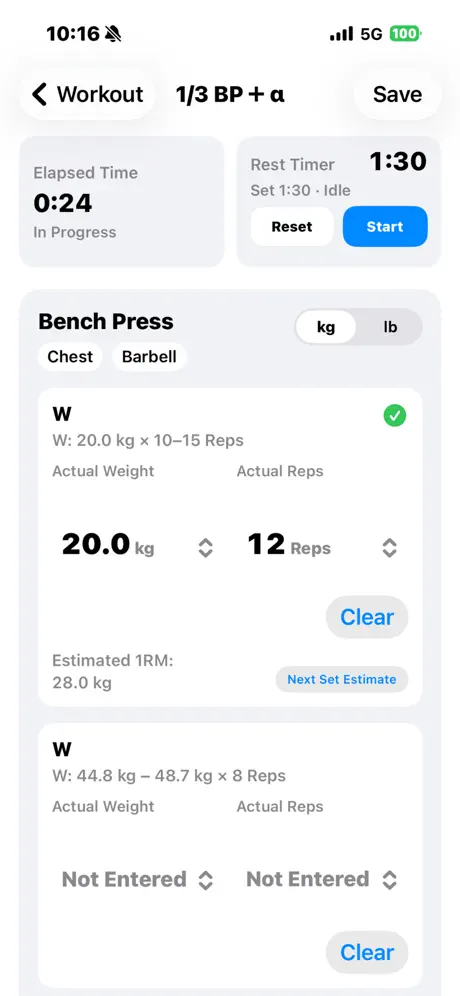
Record what you actually lifted and reuse a previous record for the same menu. Use the rest timer in the iOS app between sets.
Review estimated one-rep max (1RM), top-set weight, training volume and body-part trends. See how your recorded workouts change over time.
YOUR TRAINING LOG
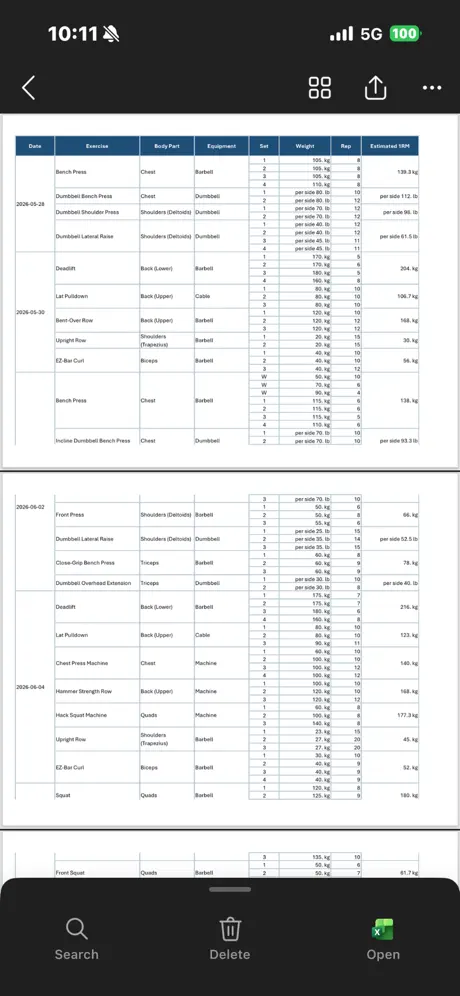
Export workout menus as PDFs and training records as Excel or PDF files. Keep a printed copy or organize your workout history in a spreadsheet.
Back up and restore app data with a JSON file. Sign in to sync menus and records with your personal cloud storage.
HOW TO START
Choose exercises, weights, reps and sets, then schedule your menu on the calendar.
Enter the actual weight and reps for each set. For the same menu, start from a previous workout record.
Compare your workout history and progress charts to prepare your next training session.
Read the app guideSync, purchases and other FAQs
The guide and FAQ cover iOS 1.0.3 or later and member web.
FIVE TABS
Create workout menus, log sets, review progress, print record sheets, export PDF or Excel files, and back up your data. Save reviewed community menus and optionally join rankings.
Sign in with Google or Apple to sync menus and records with member web. Cloud storage includes 20,000 records free, with four optional monthly plans: 100,000 records for JPY 600/month, 300,000 for JPY 1,500/month, 900,000 for JPY 4,500/month and 1,800,000 for JPY 9,000/month. Purchases are optional for core features.
Use the AI tab to discuss training, create menus from photos or voice, and read handwritten records from photos or PDFs. Optional Google Calendar integration checks busy time ranges to help find available dates.
Sending content to AI requires consent and AI credits. Check the credit amount before sending, then review and save the result yourself. The five AI packs are 10 credits for JPY 300, 50 for JPY 1,500, 100 for JPY 3,000, 150 for JPY 4,500 and 300 for JPY 9,000. Cloud plans renew monthly until cancelled. Check the products available for purchase and the final storefront price in the iOS app’s Apple purchase sheet.
This guide covers iOS 1.0.3 or later and member web. The iOS app is available on the App Store. Estimated 1RM, analysis and AI suggestions are for reference, do not provide medical diagnoses and do not guarantee safety.
BEFORE YOU START
Last Rep Pro is a strength training app and workout tracker for creating exercise menus, logging sets, weights and reps, and reviewing progress. It is designed for people who want to follow their own routine and keep a record of planned and completed workouts.
Yes. It supports iPhone with iOS 18.5 or later and iPad with iPadOS 18.5 or later. You can switch between English and Japanese.
You can export menus as PDFs and workout records as Excel or PDF files. Use JSON files to back up and restore app data.
Member web and iOS 1.0.3 or later sync menus and records when signed in to the same account, after changes, reconnection and periodic checks while in use. See the app guide for member web features.